Not yet checked on the live siteYour status page
For: customers who sent an online request and kept the status link
Opening your status page
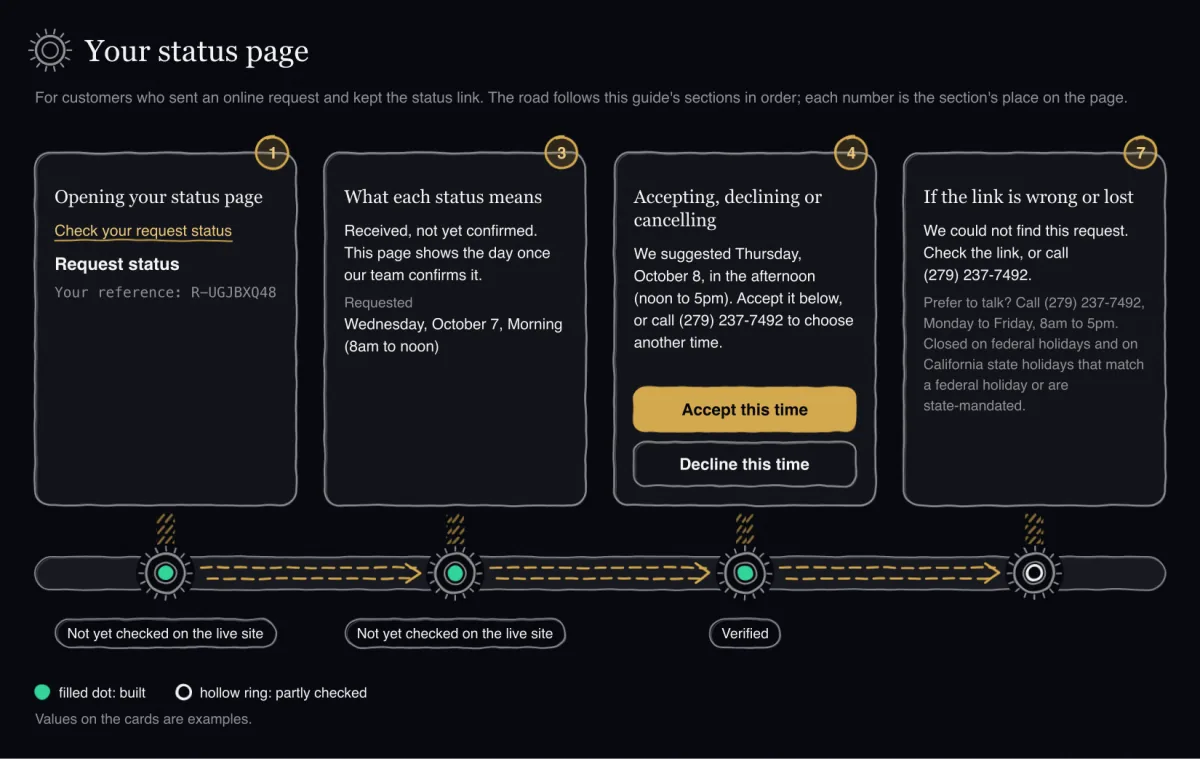
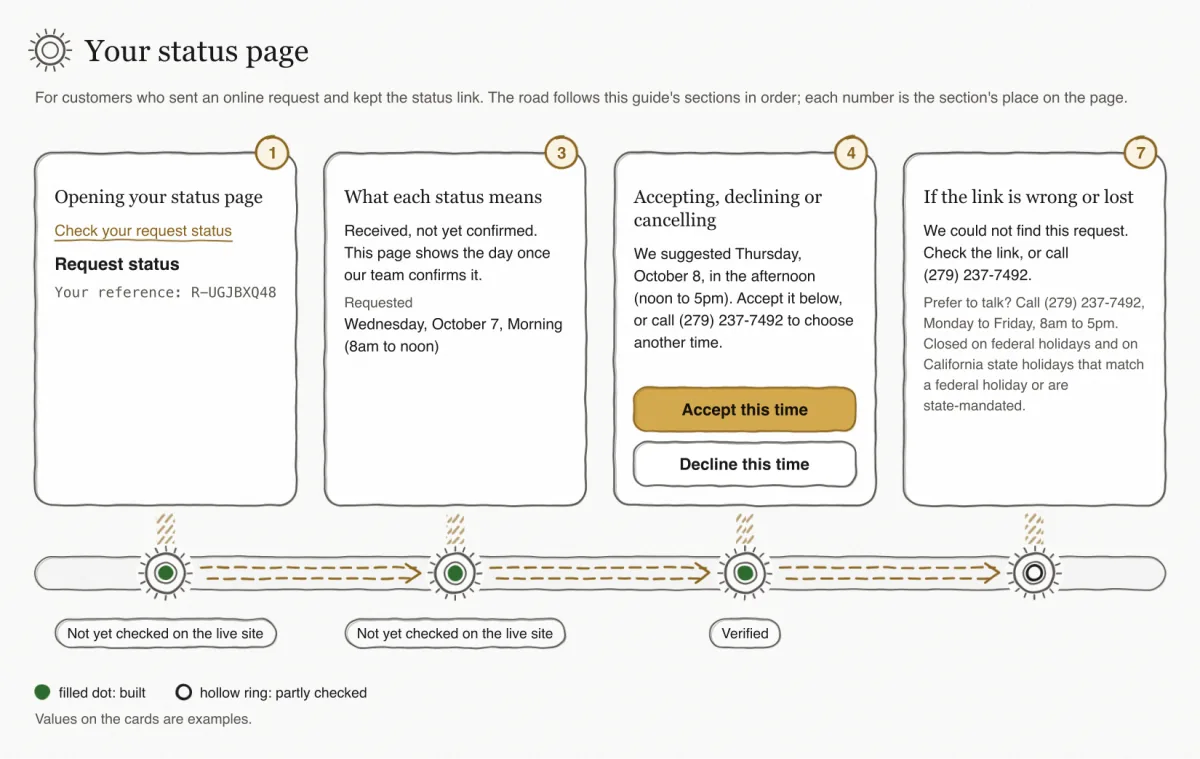
Not yet checked on the live siteThe status page is built and passed the website team's checks. It has not yet been checked on the live site.
Not yet checked on the live siteIn a browser check, accepting a suggested day on this page passed on phone and desktop. The page followed the light and the dark theme at phone, tablet and desktop widths, with no overflow. The check found no WCAG 2.1 A or AA accessibility problem.
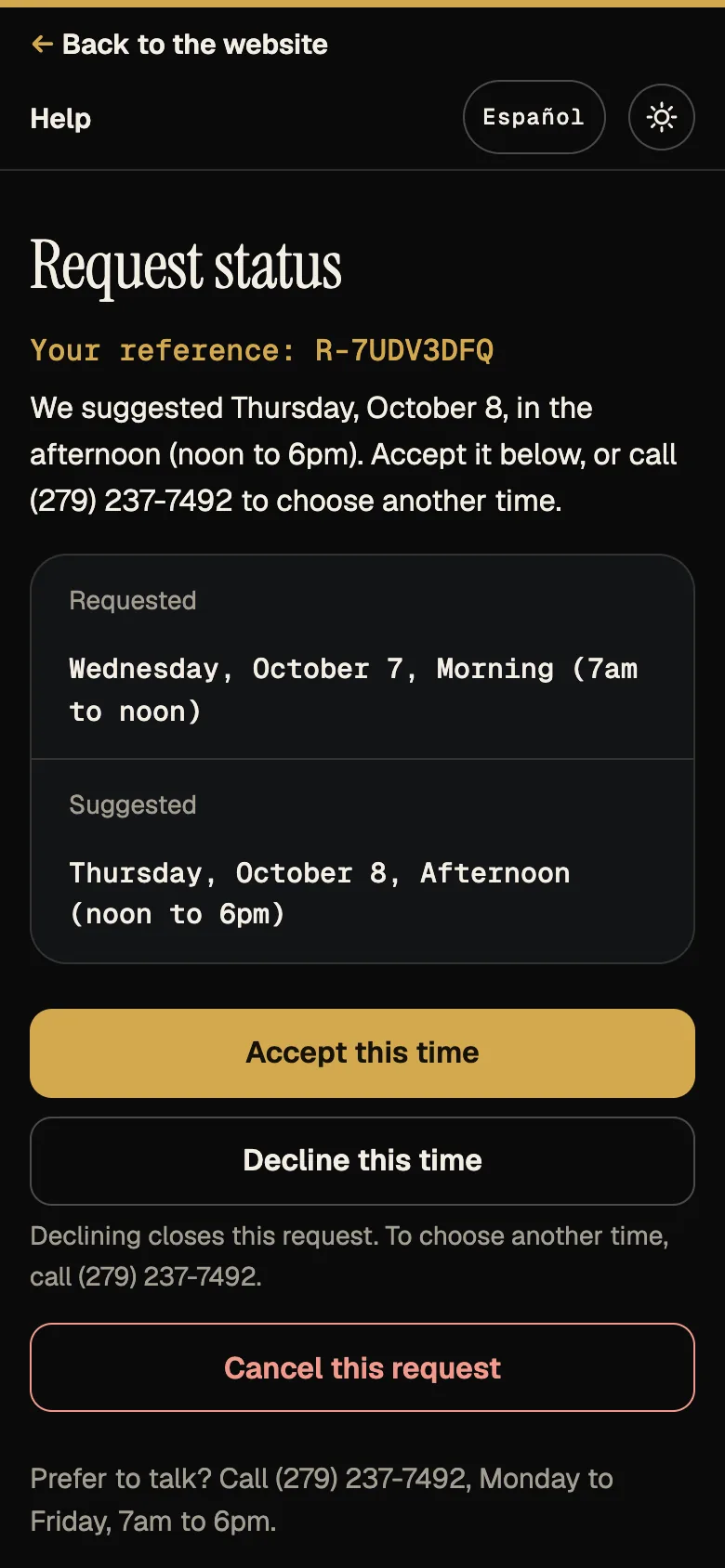
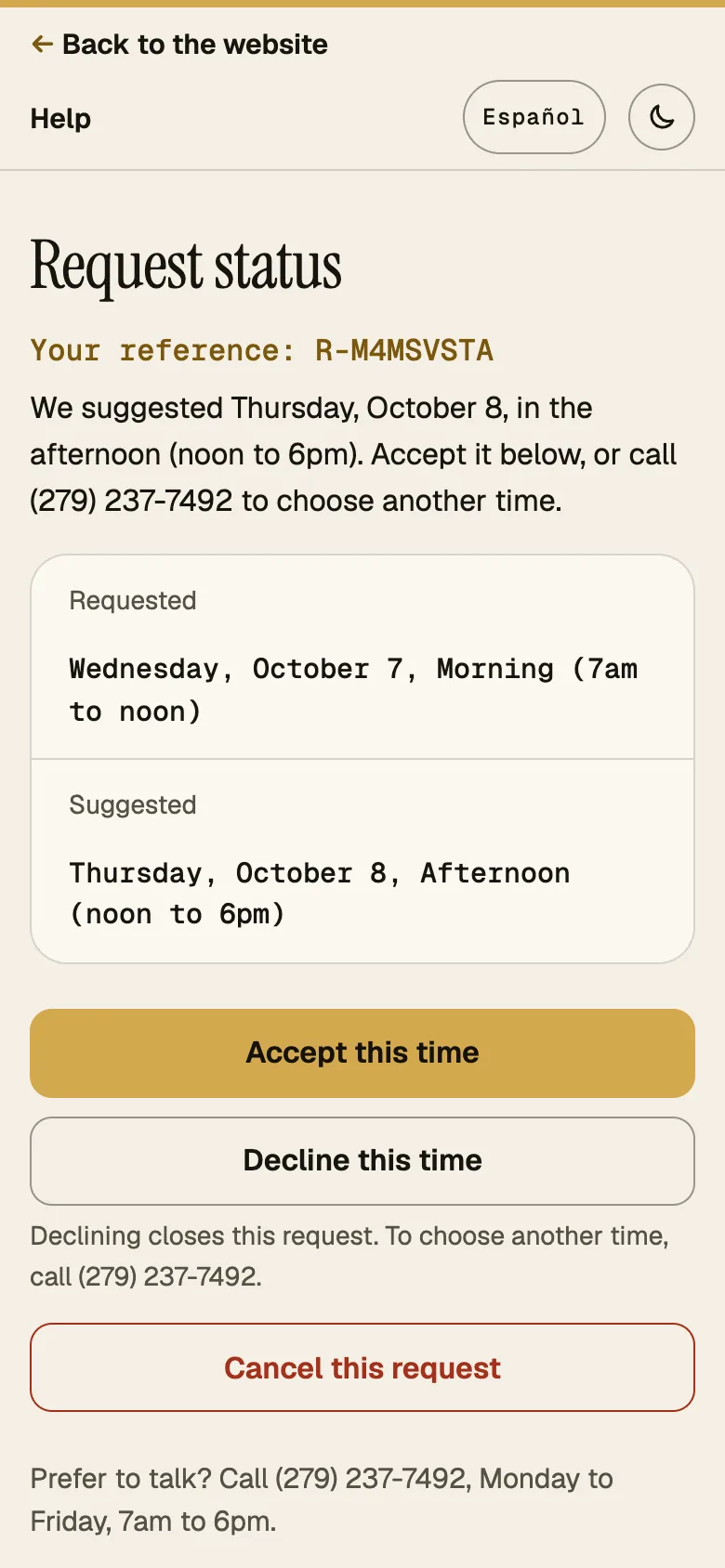
Open the link Check your request status that you saved after sending your request. The page is titled Request status and shows Your reference, one sentence for the current status, and the day and time rows that apply: Requested, Suggested and Confirmed. The link itself is the key to your request; there is nothing to sign in to.
Not yet checked on the live siteThe status page opens in the language you last chose on the request form, or else in your browser's language. The status link itself does not carry a language.
Not yet testedTo switch, press Español at the top of the page; your choice is saved and the page is shown again in the other language. This switch has not yet been checked in a browser on the status page.
What happens after you send
- Send the form, then open Check your request status from the Request received screen.You see: A page titled Request status with Your reference and one sentence for the current status.
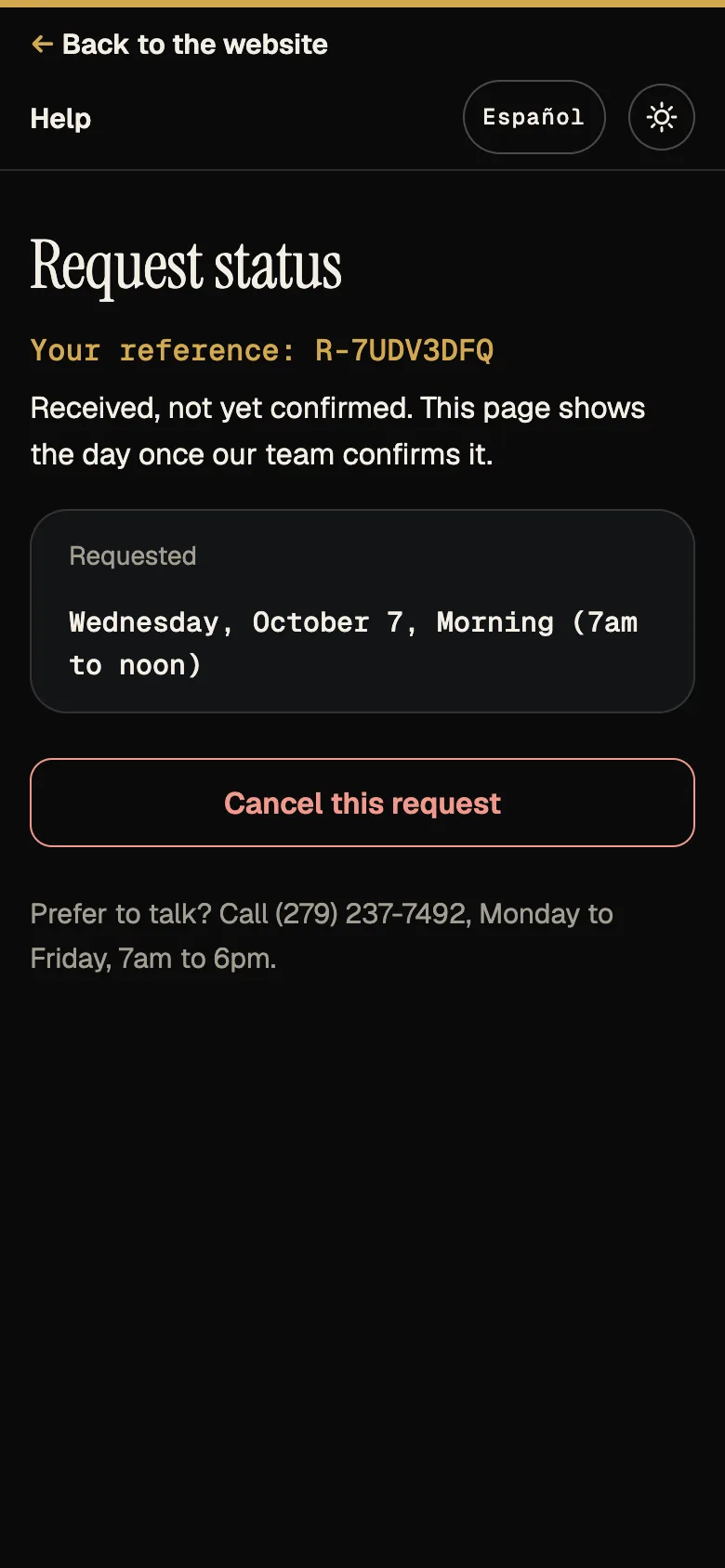
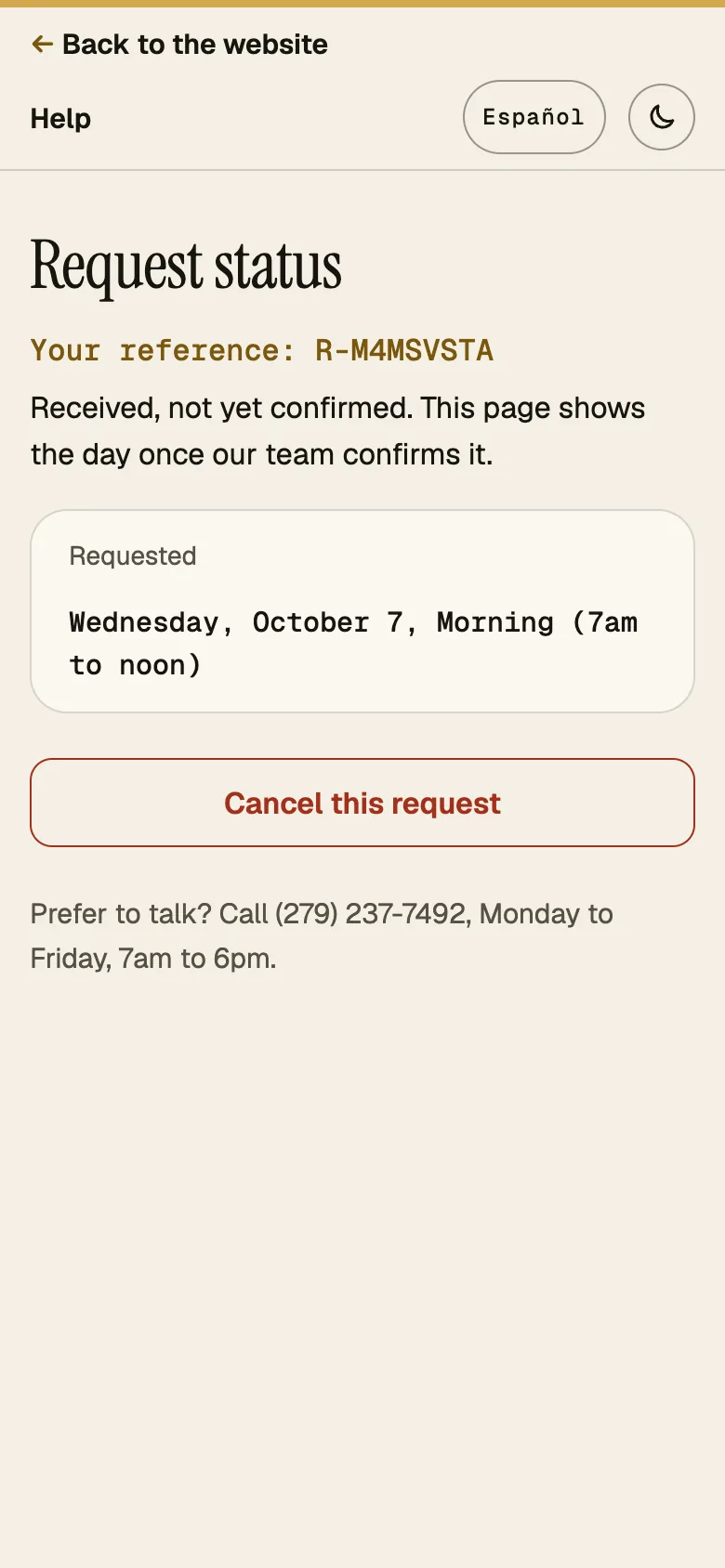
- Wait while our team checks your request. If your plans change, you can press Cancel this request.You see: Received, not yet confirmed. This page shows the day once our team confirms it. and the row Requested.Meanwhile: Our team checks the request. If it cannot take it, the page says so with one of four reasons, for example No capacity for that day.
- Read the suggested day and time. You can accept it, decline it or cancel the request; to ask for a different day, call.You see: We suggested {day}, {window}. Accept it below, or call (279) 237-7492 to choose another time. The row Suggested and the buttons Accept this time, Decline this time and Cancel this request.Meanwhile: Our team has suggested a different day or time.
- Press Accept this time to take the suggested time, or Decline this time to refuse it.You see: Accepting: Thank you. Your pickup is confirmed. Declining warns you first (Declining closes this request. To choose another time, call (279) 237-7492.), then says You declined the suggested time. This request is now closed. From then on the page shows You declined the suggested time, so this request is closed. Call (279) 237-7492 to set up a pickup.
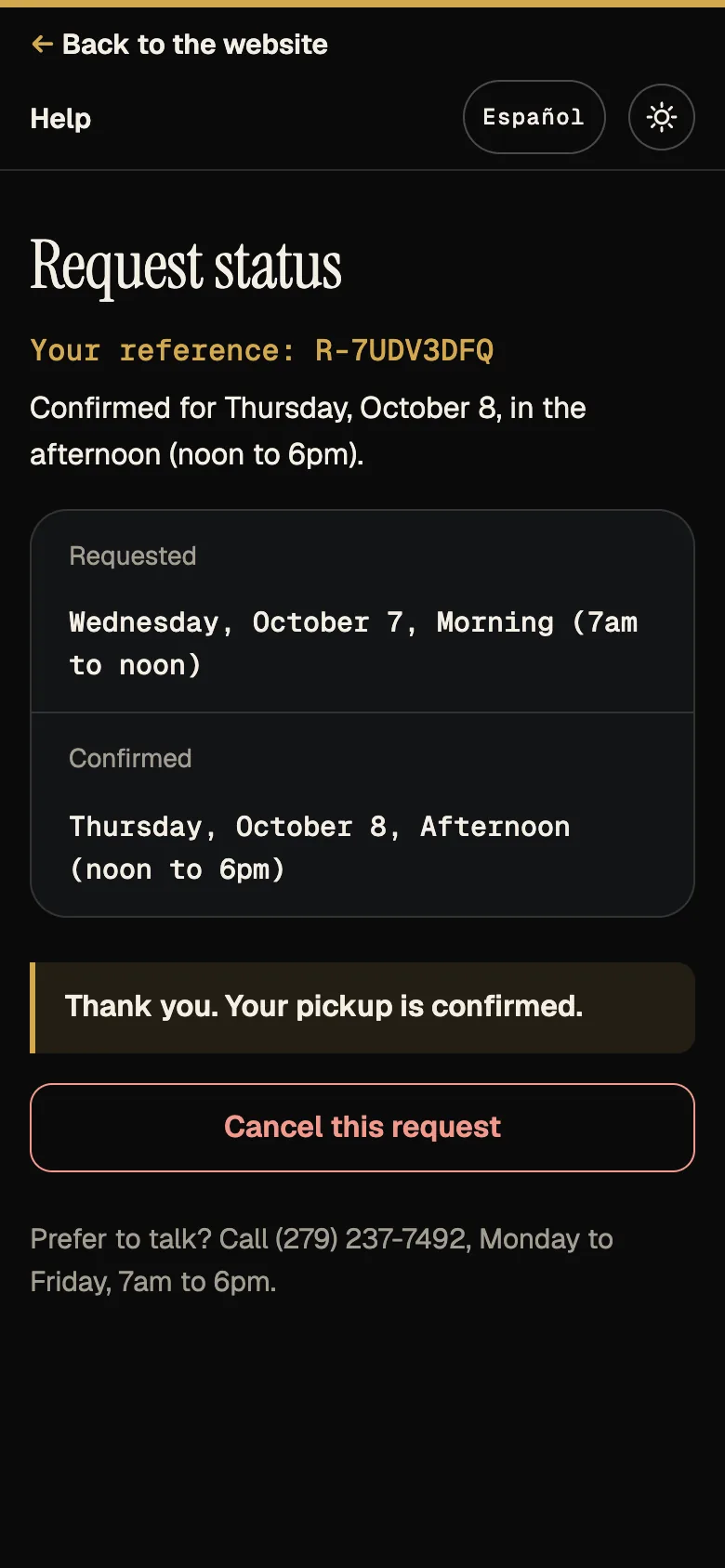
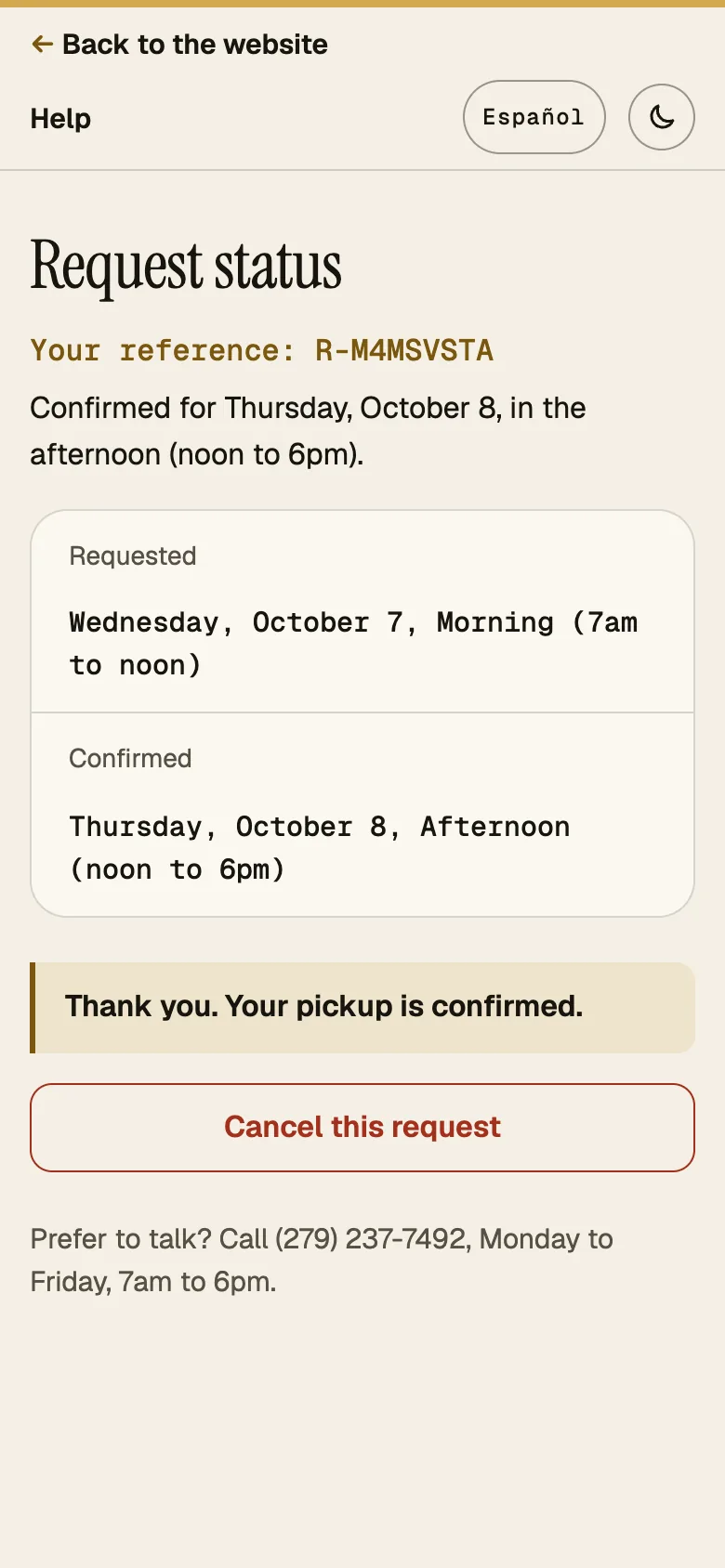
- Note your day and window. You can still press Cancel this request; the page asks once: Cancel this pickup request? This cannot be undone online.You see: Confirmed for {day}, {window}. and the row Confirmed.Meanwhile: The pickup is set for that day and window.
- On pickup day, have the tires ready as your access instructions say. The page Booking by phone, the service area and pickup day has the website's checklist.You see: The page still shows Confirmed for {day}, {window}.
What each status means
A request has one status at a time. The table follows the order a request moves through. Where the sentence has a day and a time window, the page fills them in.
| The page says | What it means | What you can do |
|---|---|---|
| Received, not yet confirmed. This page shows the day once our team confirms it. | We have your request and have not set a day yet. | Cancel. |
| We suggested {day}, {window}. Accept it below, or call (279) 237-7492 to choose another time. | Our team suggests a different day or time. | Accept the suggested time, decline it, or cancel. |
| Confirmed for {day}, {window}. | The pickup is set for that day and window. | Cancel. |
| We cannot take this request. Reason: {category}. Call (279) 237-7492 with any questions. | Our team cannot take the request. The reason is one of: Outside our service area, No capacity for that day, We need more details, We cannot take this load. | Nothing online; call with questions. |
| You declined the suggested time, so this request is closed. Call (279) 237-7492 to set up a pickup. | You declined the suggested time, so the request is closed. | Call to set up a new pickup. |
| This request was cancelled. | The request was cancelled, by you or by our team. A reason given by our team is not shown on this page. | Nothing online; call to set up a new pickup. |
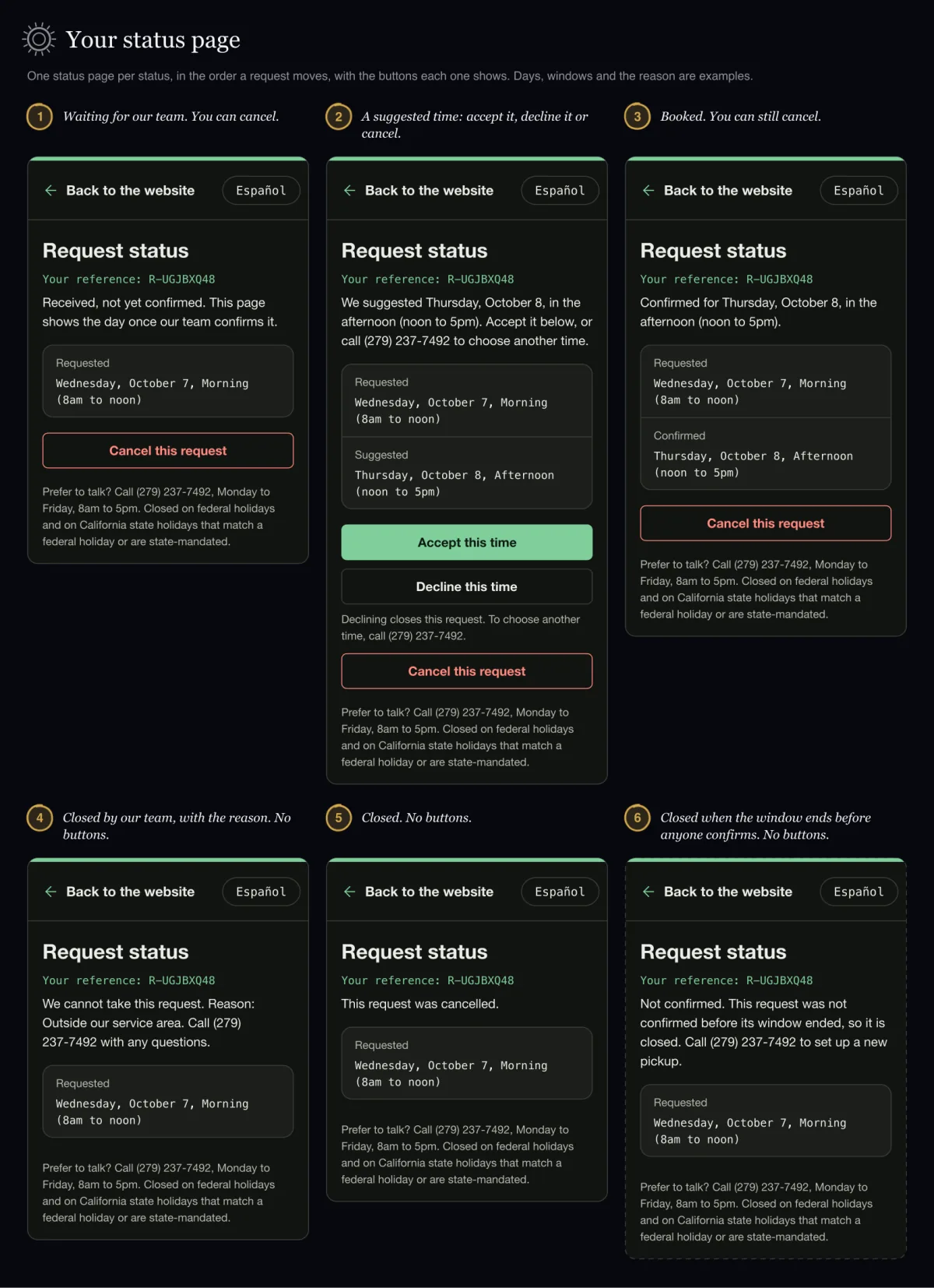
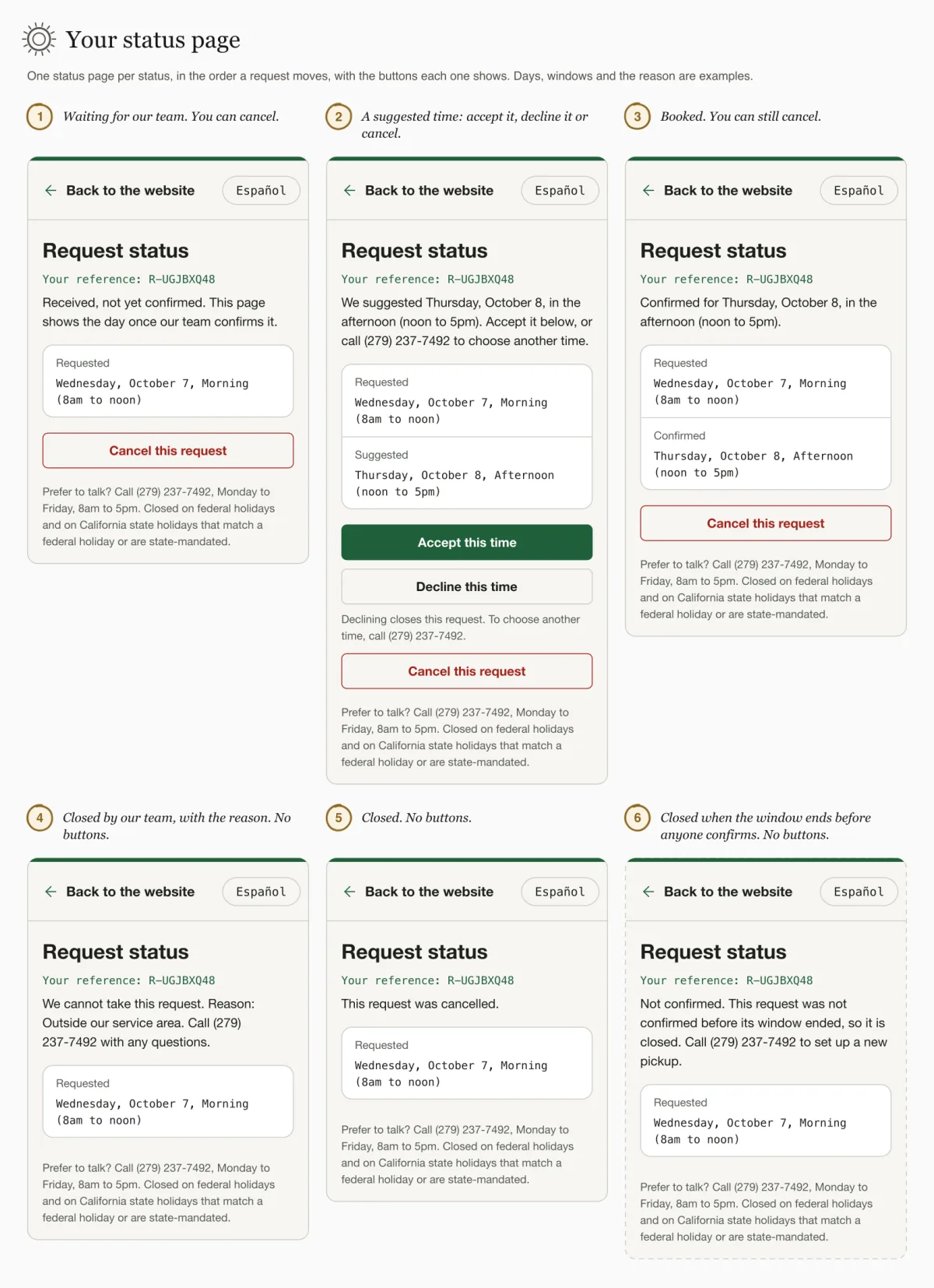
LaterThe page also has a sentence for a finished pickup, Pickup completed. Thank you., but nothing marks a pickup as completed yet: that step belongs to the driver app, which is later.
Accepting, declining or cancelling
- Accept the suggested time. Shown only while our team is suggesting a time. Press Accept this time. The page then says Thank you. Your pickup is confirmed.
- Decline it. Shown only while our team is suggesting a time; you cannot decline a request that is still waiting. Press Decline this time. The page warns you first: Declining closes this request. To choose another time, call (279) 237-7492. Afterwards it says You declined the suggested time. This request is now closed.
- Cancel. Shown while the request is waiting, while a time is suggested and once it is confirmed. Press Cancel this request; the page asks once: Cancel this pickup request? This cannot be undone online. Press Cancel this request again to go ahead, or Keep my request to stop. Afterwards it says Your request is cancelled.
To ask for a different day than the one suggested, call: Prefer to talk? Call (279) 237-7492, Monday to Friday, 8am to 5pm. Closed on federal holidays and on California state holidays that match a federal holiday or are state-mandated.
What our team sees
Not yet checked on the live siteYour request appears on our staff desk under "Awaiting confirmation". Our team then presses "Confirm requested day", "Suggest day" or "Decline"; the desk is in English, so its controls are quoted in English here. If we decline, the reason reaches you in customer wording, for example Outside our service area. A note our team adds for itself is not shown to you. Your status page then shows the result. In a browser check, a day suggested on the desk, accepted on this status page and then shown as Confirmed on the desk passed on phone and desktop. Confirm, decline and cancel with a reason also passed on the desk.
Not yet checked on the live siteIt works the other way too. When you decline a suggested day or cancel your request on this status page, the request's history on our desk records it as "Declined" or "Cancelled" "by the customer", without your name.
When an action does not go through
| The page says | Why |
|---|---|
| This request has changed, so that action is no longer available. Reload the page to see its status, or call (279) 237-7492. | The request changed after you opened the page, for example our team confirmed or cancelled it. Reload the page to see the current status. |
| That suggested time is no longer available. Call (279) 237-7492 to choose another. | The suggested time has passed or is no longer offered. |
| Too many attempts. Please call (279) 237-7492 and we will help. | A request accepts at most 10 actions per hour. Call us instead. |
| We could not find this request. Check the link, or call (279) 237-7492. | The link does not match a request. |
If the link is wrong or lost
If the link is incomplete or does not match a request, the page shows We could not find this request. Check the link, or call (279) 237-7492.
There is no way to get the link again online. If you lost it, call us and give your reference if you have it: Prefer to talk? Call (279) 237-7492, Monday to Friday, 8am to 5pm. Closed on federal holidays and on California state holidays that match a federal holiday or are state-mandated.
To leave the status page, use Back to the website at the top.