VerifiedBooking by phone, the service area and pickup day
For: any customer, new or returning
Booking by phone works today
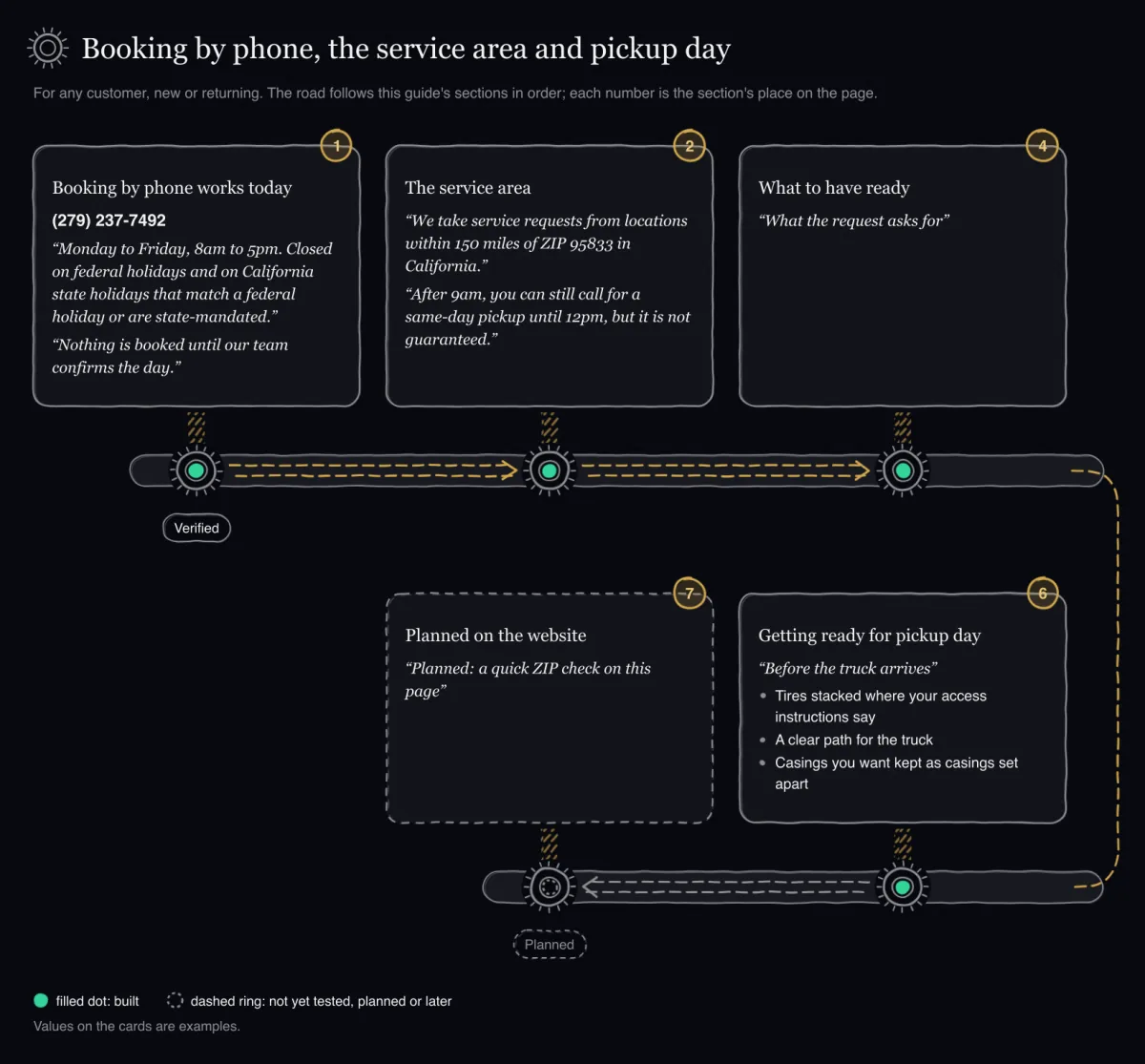
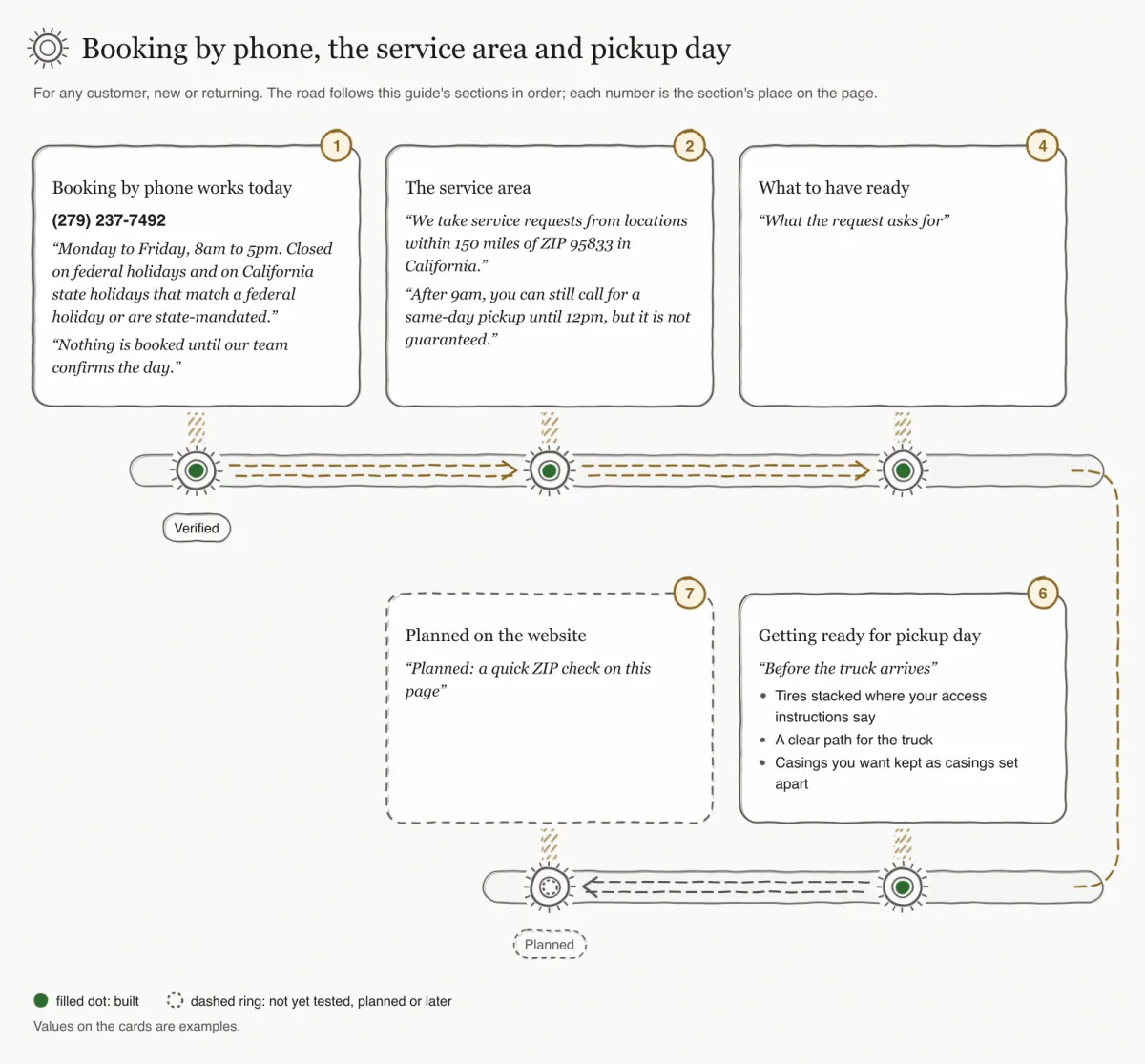
VerifiedBooking a pickup by phone works today. Call (279) 237-7492. The website gives the hours as "Monday to Friday, 8am to 5pm. Closed on federal holidays and on California state holidays that match a federal holiday or are state-mandated." Its three steps are Call, We confirm and Pickup day, and it says: "Nothing is booked until our team confirms the day."
- Have your details ready: your business, where the tires are, details about the tires, the day and window you prefer, and access instructions. What to have ready lists them.
- Call (279) 237-7492, Monday to Friday, 8am to 5pm, except holidays. For a same-day pickup, call by 9am Pacific; until 12pm it may still be possible, but it is not guaranteed.
- Give your details and the day and window you would like.Meanwhile: Our team confirms every address before a pickup is booked; for same-day it also confirms distance, load and timing.
- Wait for our team to confirm the day. "Nothing is booked until our team confirms the day."
- On pickup day, have the tires stacked where your access instructions say, a clear path for the truck, and casings you want kept set apart.
A phone booking has no status page. A request our team enters at the desk keeps no link that can be given out, so the confirmed day reaches you by phone. Only a request sent through the online form gets a status link.
Pickups are offered "Monday to Friday, morning 8 to 12 or afternoon 12 to 5." The day you ask for is not yet a booking: "A requested day is a request, not a booking. It becomes a booking only when our team confirms it."
If you have booked with us before, the site says: "Today, existing customers call (279) 237-7492 to book again."
Not yet checked on the live siteAn online request form is also built. It has not yet been checked on the live site. The page Request a pickup online explains the form.
The service area
The site says: "We take service requests from locations within 150 miles of ZIP 95833 in California. Our team confirms every address before a pickup is booked."
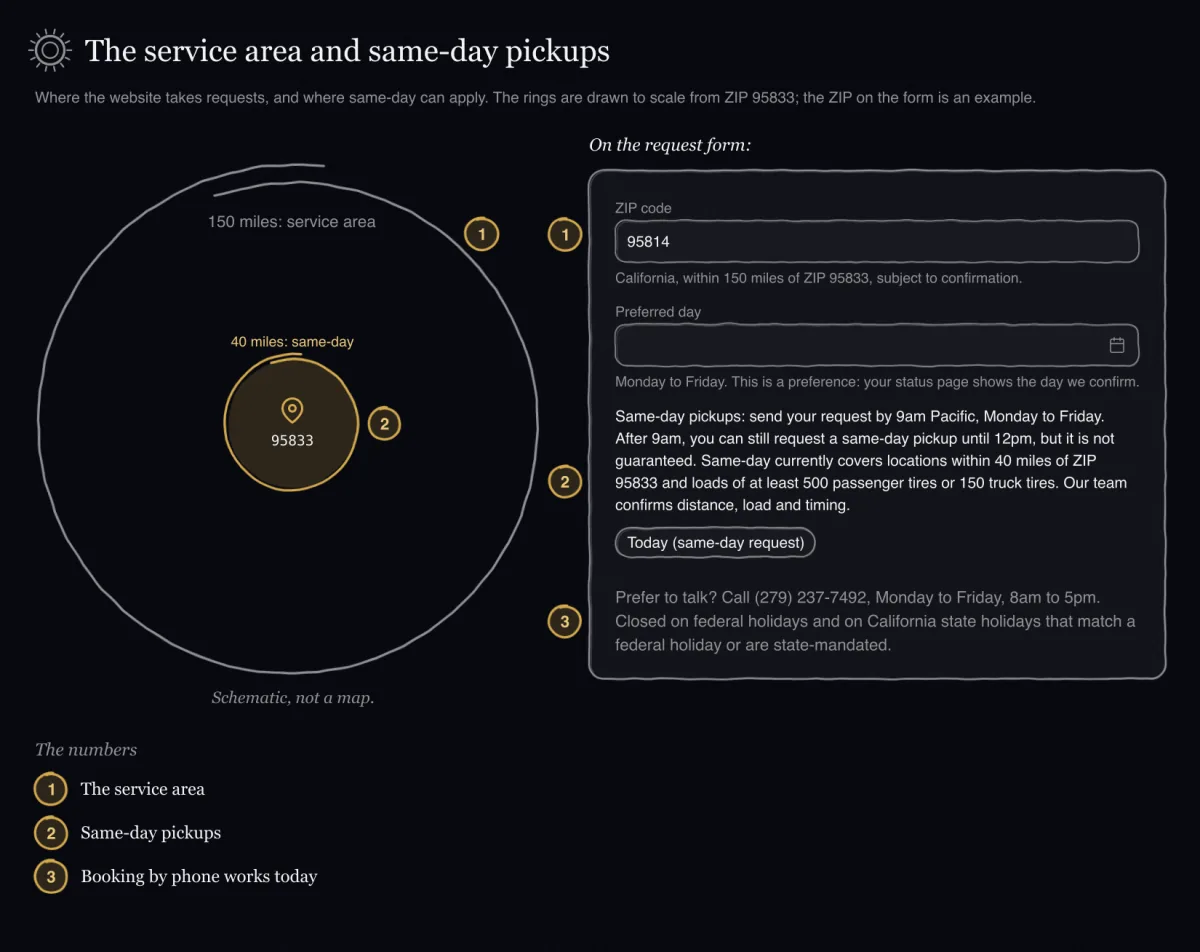
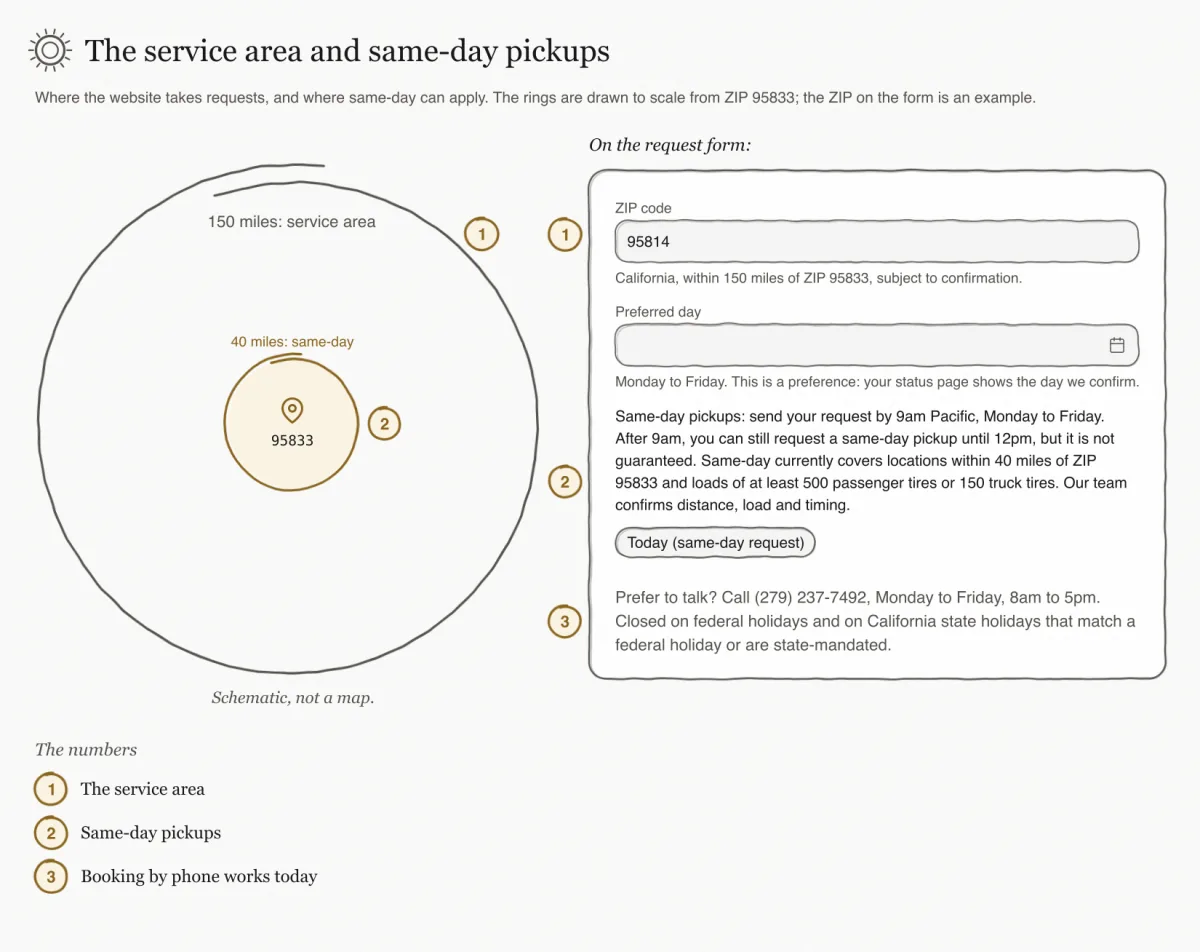
The map on the site has a gold marker. Its caption says: "The gold marker stands for ZIP 95833, the point the service area is measured from. It is not a yard or an address."
If you are not sure your location is inside the area, call. The site lists the phone line for "New pickups, existing customers and service-area questions."
Same-day pickups
The site states the rules this way: "Same-day pickups: request by 9am Pacific, Monday to Friday. After 9am, you can still request a same-day pickup until 12pm, but it is not guaranteed. Same-day currently covers locations within 40 miles of ZIP 95833 and loads of at least 500 passenger tires or 150 truck tires. Our team confirms distance, load and timing."
In short: call by 9am Pacific on a weekday (after 9am and until 12pm you can still ask, but it is not guaranteed), be within 40 miles of ZIP 95833, and have at least 500 passenger tires or 150 truck tires. Even then, a same-day pickup happens only if our team confirms it.
What to have ready
Whether you call or write, have these details ready. The table quotes the site's list "What the request asks for".
| The site says | Details, as the site gives them |
|---|---|
| Your business | Business name, contact name, phone, and email if you like |
| Where | Street address and ZIP |
| Tires | About how many, which types, rims, casings to keep |
| When | Monday to Friday. Morning 8 to 12, afternoon 12 to 5, or either |
| Access instructions | Where the tires are and how the truck gets to them. Required. |
| Check | You confirm the details are correct. |
Not yet checked on the live siteThe exact rules for each field of the online form are on the page Request a pickup online.
What the website says each status means
Not yet checked on the live siteThe status page is built. It has not yet been checked on the live site. The site says: "No texts or emails are sent, so keep the link." The status page itself shows longer sentences, which the page Your status page explains. The website uses its own short words, quoted here.
| The site says | Meaning, as the site gives it |
|---|---|
| Requested | We have it and are checking it. |
| Suggested | We suggest another day or time. |
| Confirmed | The day is booked. |
| Declined | We cannot take it, with the reason: outside the service area, no capacity, details incomplete, or a load we cannot take. |
| Cancelled | The request was cancelled, by you or by Eco Tire. |
LaterThe site also lists "Completed": "The pickup is done." Nothing marks a pickup as completed yet; that step is later.
Getting ready for pickup day
The site's checklist "Before the truck arrives":
- Tires stacked where your access instructions say
- A clear path for the truck
- Casings you want kept as casings set apart
The day and time shown in that part of the site ("Confirmed · Thu, Oct 8 · 12 to 5") carry the label "Sample day and time". Your own day and time window are the ones our team confirms.
LaterUnder "After the stop" the site says: "Your status page changes to Completed." As noted above, nothing sets that status yet.
Planned on the website
PlannedA ZIP check. The service-area section shows "Planned: a quick ZIP check on this page". There is no ZIP check yet; ask by phone.
PlannedCertificates of disposal. The site says "Planned: certificates are not issued yet" and "It is not a CalRecycle form or manifest." The image there is a "Sample design reference. Not a certificate."
PlannedA live pickup-day status. The map in the pickup-day section is an "Illustration": "It is not a real route, a live truck or a booked stop."
PlannedSign-in and booking: coming soon. A customer portal. The website shows no "Sign in" button yet. Until sign-in opens, book again by phone. See What is still planned.